gRPC clients for the Mac
There are three kinds of tool for calling a gRPC service from a Mac today: a native app (istek), a cross-platform API client (Kreya or Postman), or the command line (grpcurl, with grpcui for a browser UI). BloomRPC, once the common choice, was archived in 2023.
Updated
At a glance
| Tool | What it is | Best when |
|---|---|---|
| istek | A native macOS app for gRPC only; $14.99 once | You want a fast, local Mac tool for the gRPC services you own |
| Kreya | A cross-platform client for gRPC, REST, GraphQL and more; free plan and paid plans | You work on several OSes or several protocols |
| Postman | A general API platform with gRPC support | Your team already lives in Postman workspaces |
| grpcurl | A free, open-source command-line tool | You want scripts, CI and copy-pasteable commands |
| grpcui | grpcurl's companion: a web UI served on localhost | You want a free UI and do not mind a browser tab |
What to check in any gRPC client
| Check | Why it matters | In istek |
|---|---|---|
| Server reflection | No hunting for .proto files | v1, with a v1alpha fallback |
Local .proto import | Servers that turn reflection off | Drag and drop; imports and well-known types resolve with no protoc |
| All four call types | Streams need half-close and cancel, not just send | Unary and every stream; ⇧⌘E half-closes, ⌘. cancels |
| Response headers and trailers | Request ids, rate limits and error details travel there | Beside every response, including failed calls |
| Variables per environment | Staging to production without editing requests | {{name}} in the body, metadata and address |
| Mutual TLS | Most internal services require it | Your own CA, client certificate and key |
| Where secrets go | Tokens in plain JSON files end up in commits | The macOS Keychain, for metadata and variables alike |
Pick by the job in front of you
| If you are about to | Reach for | Why |
|---|---|---|
| Poke a staging service you own, a dozen times an hour | istek | Connect, pick a method, press ⌘↩; the window is native and opens in 0.28 s |
| Run the same call in CI or a shell script | grpcurl | It is a command, so it scripts; istek copies any call out to it with Copy as grpcurl |
| Share saved requests with a team on mixed machines | Kreya or Postman | Both run on Windows and Linux and have a team plan; istek keeps everything on one Mac |
| Test gRPC next to REST and GraphQL | Kreya or Postman | One tool for several protocols; istek speaks only gRPC |
| Look at a service once, on a machine you cannot install an app on | grpcui | It serves a web UI from the command line, in a browser tab |
What the Mac window looks like
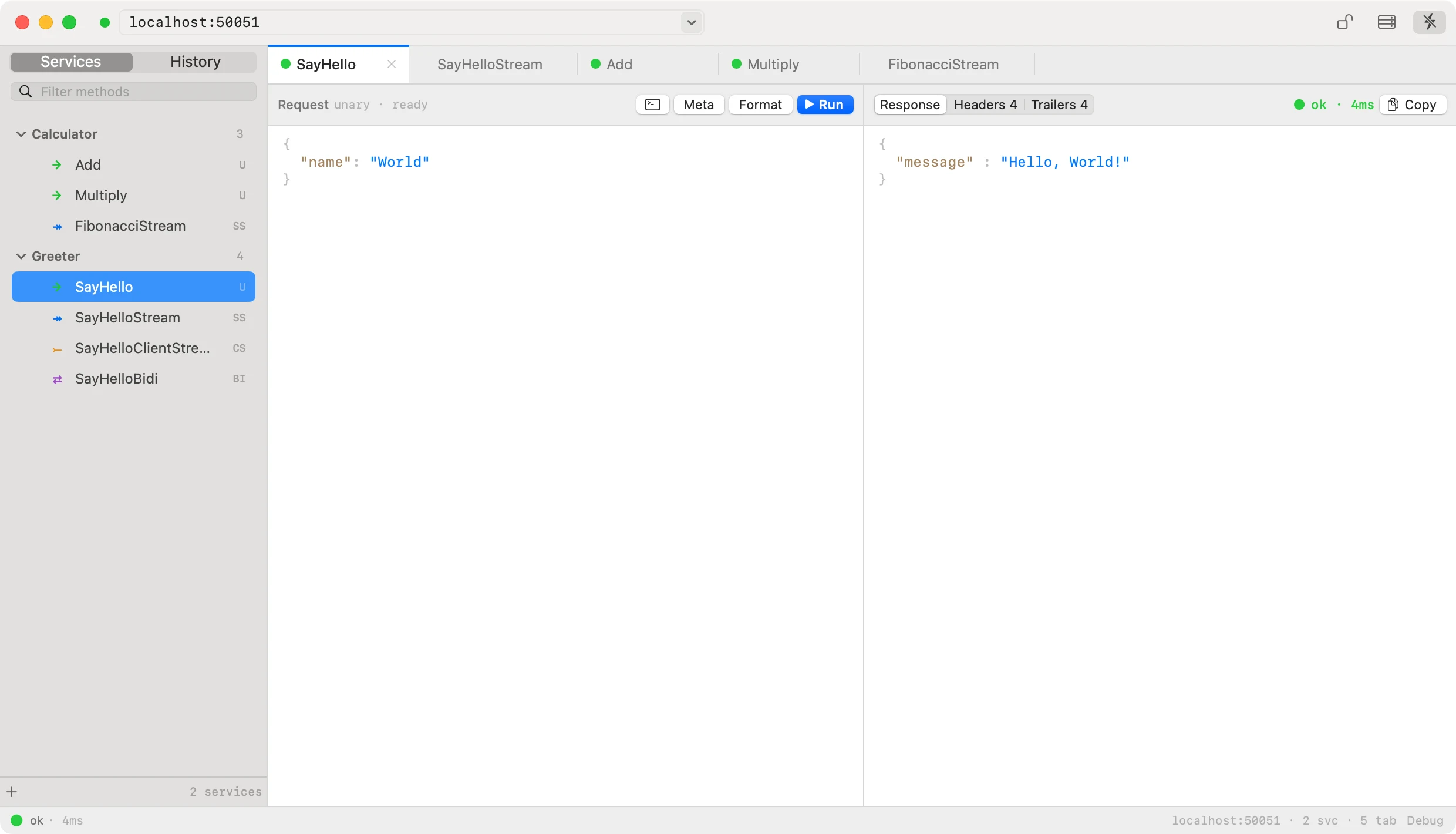
The same keys run every call: ⌘↩ to send, ⌘. to cancel a call in flight, ⇧⌘E to half-close a client stream. The app is 5.7 MB to download and uses about 23 MB of memory once open.
Where istek fits
istek is for backend developers on a Mac who call their own services all day. Every row above is in the one purchase: no plan tiers, no account, no licence server. It is 5.7 MB to download, opens in 0.28 s, and contacts no host but the servers you call.
When another tool is the better fit
- Mac only: macOS 14 or later on Apple Silicon. If anyone on the team is on Windows, Linux or an Intel Mac, pick a cross-platform client.
- Native gRPC over HTTP/2 only. For gRPC-Web or Connect endpoints, use a client that speaks those protocols.
- No CLI, scripted tests or CI mode. Keep grpcurl for scripts; istek hands any call to it with Copy as grpcurl.
- No shared workspaces or sync. Everything stays on the Mac it runs on, which is the point, but a team that shares collections will want Postman.