A Postman alternative for gRPC
Postman is a full API platform that also speaks gRPC. If gRPC on a Mac is all you need, istek is a native app built only for that: 5.7 MB to download, no workspace or telemetry, and $14.99 once — and your {{variables}} come with you, in the same syntax.
Updated
When Postman is the better choice
- Your team shares collections and workspaces in Postman.
- You also test REST, GraphQL or WebSocket APIs in the same tool.
- You need scripted tests, mocks or monitors.
- Anyone on the team uses Windows or Linux.
When istek is
- You work on gRPC services you own, on a Mac, and want the tool to open instantly.
- You want nothing to leave your machine: istek has no account and no telemetry, and contacts only the servers you call.
- You want tokens in the macOS Keychain rather than in synced workspace data — metadata and
{{variables}}alike. - You want the same
{{name}}variables you use in Postman, per environment, without a workspace to keep them in. - You would rather pay once than subscribe.
Moving a request over
- Connect istek to the same address. With reflection on, the services appear on their own; otherwise drag in the
.protofiles you gave Postman. - Pick the method and paste the JSON body from Postman into the request editor. Its
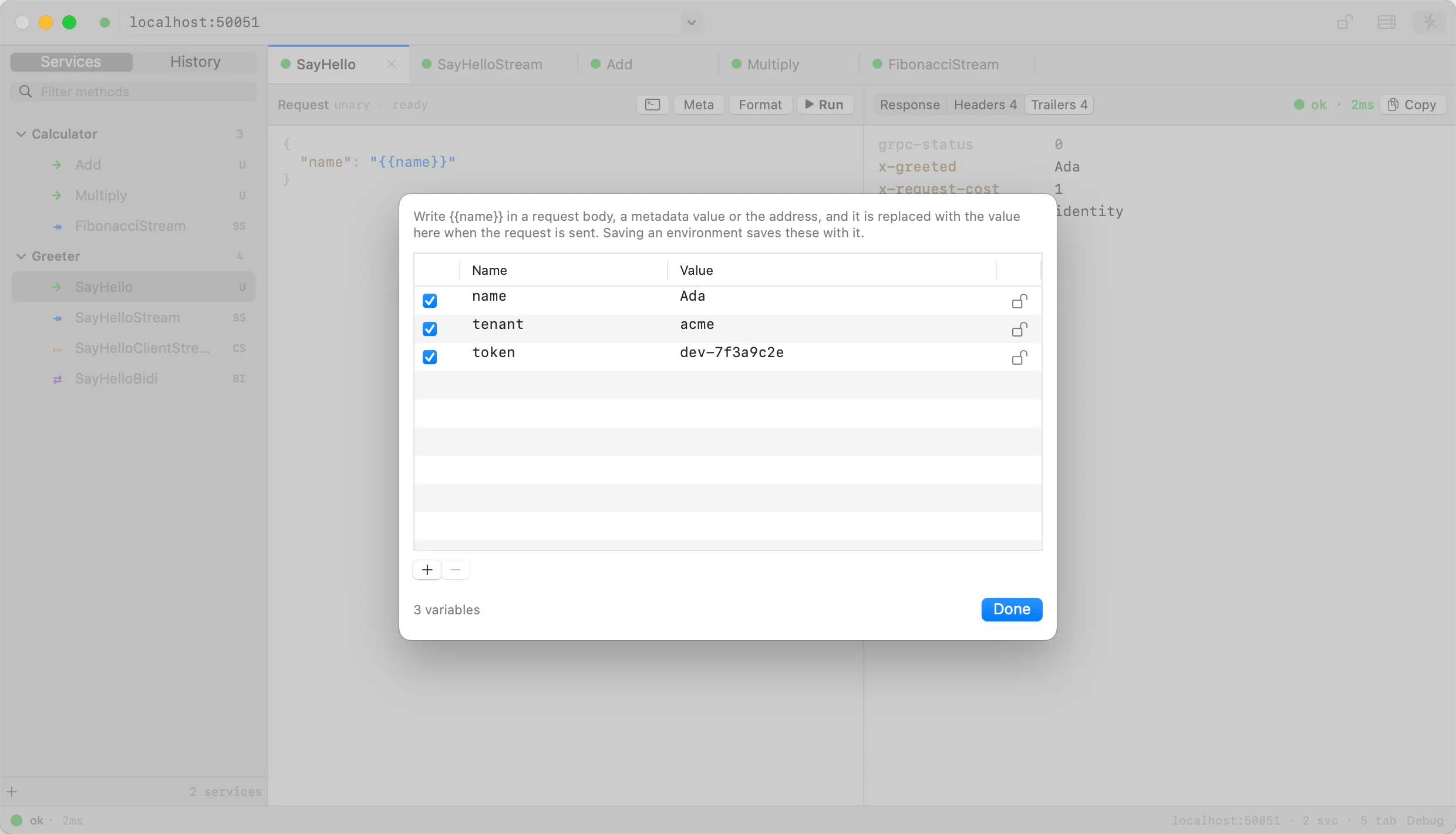
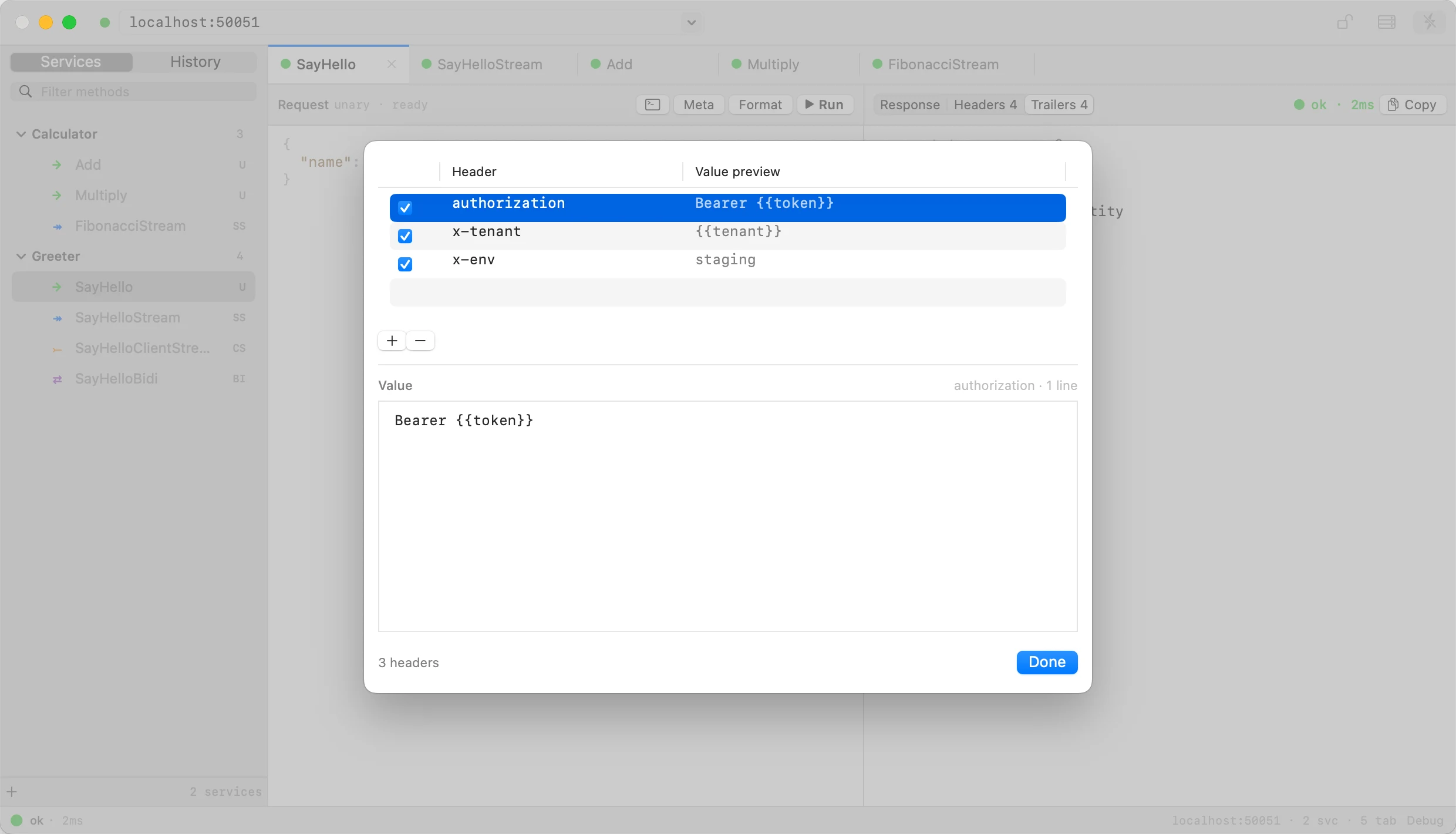
{{placeholders}}work unchanged. - Add the values under Environments ▸ Variables, marking tokens as secret, and the same metadata under Metadata Headers.
- Press ⌘↩. The response comes back with its headers and trailers.
A worked example: one request, the same variables
Say a Postman request calls Greeter/SayHello with the body { "name": "{{name}}" }, an authorization header of Bearer {{token}} and an x-tenant header of {{tenant}}. Postman's variables are written {{name}}, and so are istek's, so the request moves over without being rewritten.
| In Postman | In istek |
|---|---|
Environment variables name, tenant, token | The Variables sheet: one row each, with the value beside it |
A sensitive value such as token | The lock on its row, which keeps the value in the macOS Keychain |
| Request headers | The Meta sheet: authorization, x-tenant and any other header, each with a value preview |
| Switching environment | Choose another saved environment; every {{name}} is replaced when you press ⌘↩ |
What does not come across
Collections, folders, scripts and tests stay behind: istek has no workspace and no scripting. What moves is the part you type each time you call a service: the address, the method, the JSON body, the headers and the variables.